Local Data and Backups
Voice Command Atlas works only with the custom-command export you explicitly select. Command data, backups, snapshots, and test results stay local. The app creates a backup before actions that change the selected export.
macOS Voice Control utility
Find, understand, test, and safely manage a custom Voice Control command library you export from System Settings.

Screenshots
1 of 10
Search custom commands, check whether each one is active, and inspect its action, scope, file, and available controls.
Description
Export Custom Commands from Voice Control's Options menu, then choose the resulting .voicecontrolcommands file in Voice Command Atlas to turn it into a searchable list with plain details about each phrase, app scope, action type, status, and linked file.
The app changes only the export you select. Re-import the edited file through Voice Control's Options menu when you want to apply those changes.
Key features
Voice Command Atlas works only with the custom-command export you explicitly select. Command data, backups, snapshots, and test results stay local. The app creates a backup before actions that change the selected export.
Use Health and Audit views to find repeated or similar spoken phrases, disabled commands, stale or unresolved file references, missing files, unknown actions, broad menu scopes, and risky keyboard shortcuts.
Add common command types, adjust phrases and app scope, change status, refresh stale file references, or delete a command with clear controls and confirmation where needed.
Export a portable snapshot or compare another snapshot with the selected export before deciding whether to restore a full backup or apply selected changes.
In System Settings > Accessibility > Voice Control, use the Options menu to export your custom commands. Voice Command Atlas reads and edits only the .voicecontrolcommands file you explicitly select. Re-import the edited export from the same Options menu to apply your changes.
No. The Mac App Store version uses the standard macOS Open dialog and an app-scoped security bookmark for the export you choose. It does not read another app's preferences or restart Voice Control or other system processes.
No. Command data, backups, snapshots, and command test results stay local to your Mac.
Designed for Mac
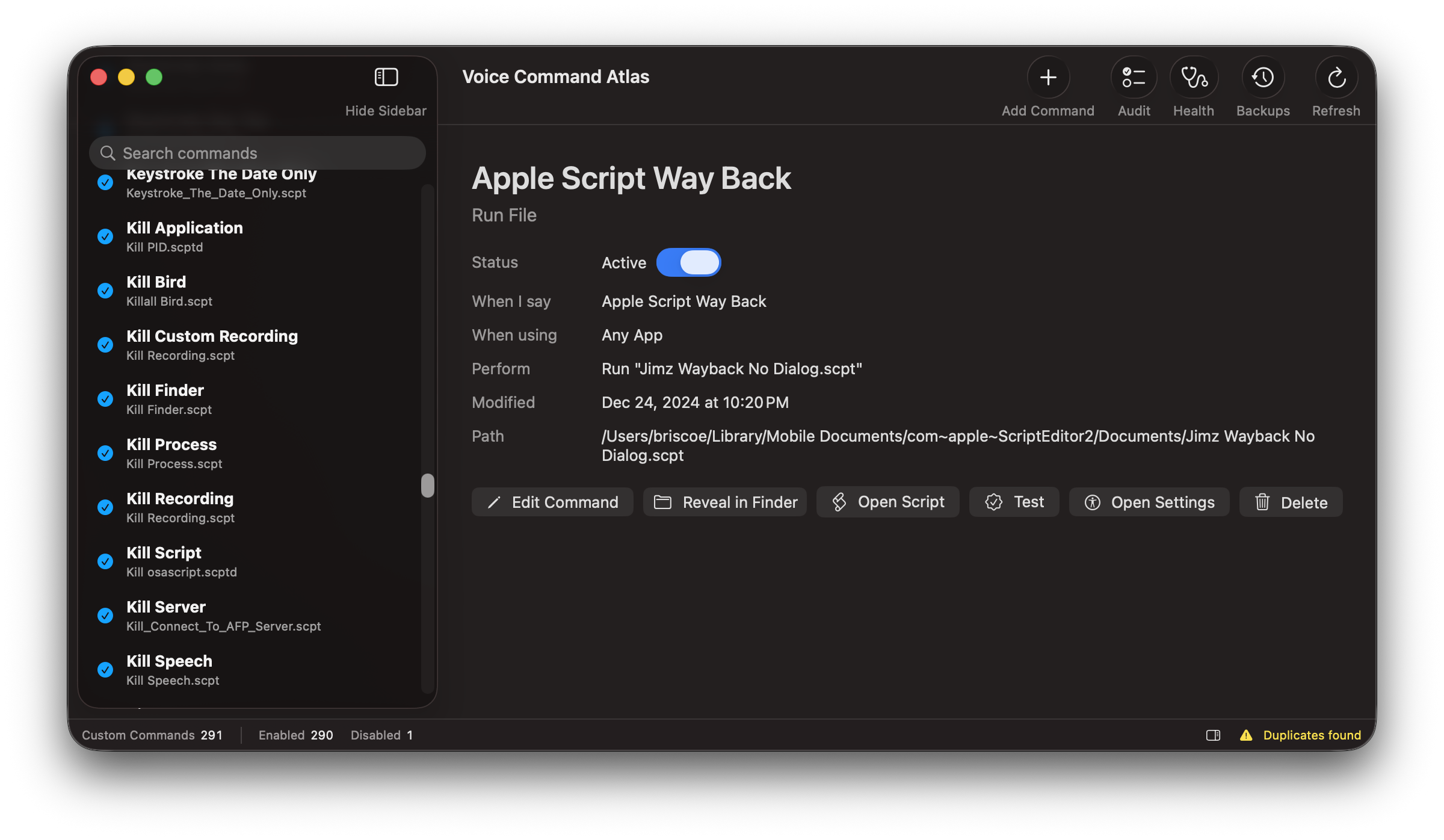
Search custom commands, check whether each one is active, and inspect its action, scope, file, and available controls.